
Componentes
Podemos encapsular diferentes códigos y propiedades dentro de componentes. Un ejemplo sencillo:
class Componente extends React.Component {
  render() {
    return <h2>Soy un componente to chulo</h2>;
  }
}

ReactDOM.render(<Componente />, document.getElementById('root'));
Los componentes pueden tener constructores:
class Componente extends React.Component {
    constructor() {
        super();
        this.adjetivo ="to chulo";
    }
    render() {
        return <h2>Soy un componente {this.adjetivo}</h2>;
    }
}
Y propiedades que podemos pasar desde la renderización:
class Componente extends React.Component {
    constructor(props) {
        super(props);

    }
    render() {
        return <h2>Soy un componente {this.props.adjetivo}</h2>;
    }
}

ReactDOM.render(<Componente adjetivo="to guapo"/>, document.getElementById('root'));
Otro ejemplo accediendo a la propiedad children:
class Componente extends React.Component {
    constructor(props) {
        super(props);

    }
    render() {
        return <h2>Soy un componente {this.props.children} {this.props.children}</h2>;
    }
}

ReactDOM.render(<Componente>to guapo</Componente>, document.getElementById('root'));
Con estilos:
class Componente extends React.Component {
    constructor(props) {
        super(props);

    }
    render() {
         const componenteStyle={
            color:this.props.color
        };
        return <h2 style={componenteStyle}>Soy un componente {this.props.children} {this.props.children}</h2>;
    }
}

ReactDOM.render(<Componente color="yellow">to guapo</Componente>, document.getElementById('root'));
Propiedades por defecto:
class Componente extends React.Component {

    constructor(props) {
        super(props);

    }
    render() {
        const componenteStyle = {
            color: this.props.color
        };
        return <h2 style={componenteStyle}>Soy un componente {this.props.children} {this.props.children}</h2>;
    }
}
Componente.defaultProps = {
    color: 'red'
};
ReactDOM.render(<Componente >to guapo</Componente>, document.getElementById('root'));
Componentes anidados:
class Square extends React.Component {
    render() {
        var squareStyle = {
            height: 150,
            backgroundColor: this.props.color
        };
        return (
                <div style={squareStyle}>
                </div>
                );
    }
}
class Label extends React.Component {
    render() {
        var labelStyle = {
            fontFamily: "sans-serif",
            fontWeight: "bold",
            padding: 13,
            margin: 0
        };
        return (
                <p style={labelStyle}>{this.props.color}</p>
                );
    }
}
class Card extends React.Component {
    render() {
        var cardStyle = {
            height: 200,
            width: 150,
            padding: 0,
            backgroundColor: "#FFF",
            boxShadow: "0px 0px 5px #666"
        };
        return (
                <div style={cardStyle}>
                    <Square color={this.props.color}/>
                    <Label color={this.props.color}/>
                </div>
                );
    }
}

ReactDOM.render(<Card color="#FE0056"/>, document.getElementById('root'));
Renderizar con react
Para renderizar usamos:
ReactDOM.render(<p>Hola que tal</p>, document.getElementById('root'));

const elemento= (
  <table>
    <tr>
      <th>Nombre</th>
    </tr>
    <tr>
      <td>Eva</td>
    </tr>
    <tr>
      <td>Ana</td>
    </tr>
  </table>
);

ReactDOM.render(elemento, document.getElementById('root'));
Lo que se renderiza es JSX, HTML en JavaScript. Se pueden usar expresiones:
function App() {
    let a=5;
  return (

        <h1>React is {a + a} times better with JSX</h1>

  );
}
React: instalación
Tenemos dos maneras de ejecutar código en react. La más sencilla es incorporar los archivos a nuestra página con script:
 <script src="https://unpkg.com/react@16/umd/react.production.min.js"></script>
  <script src="https://unpkg.com/react-dom@16/umd/react-dom.production.min.js"></script>
  <script src="https://unpkg.com/babel-standalone@6.15.0/babel.min.js"></script>
La otra es instalar node y crear un archivo react:
https://nodejs.org/es/
Después instalar la posibilidad de react:
C:\Users\Your Name>npm install -g create-react-app
Y después crearla:
C:\Users\Your Name>npx create-react-app miappreact
Para ejecutar:
cd miappreact
npm start
Usar callback en promesas
Un ejemplo de cómo podemos pasar una función como parámetro para ejecutarla como callback:
import {getJSON,postJSON} from './peticiones.js';

function getCategorias(funcion) {
    getJSON("https://localhost:44333/api/Categories")
            .then(data => {console.log(data);funcion()})
            .catch(error => console.log(error));
}


function saludo(){
    console.log("hola");
}
getCategorias(saludo);
Clientes vs usuarios

Ejemplo import-export
Peticiones:
async function getJSON(url) {
    const res = await fetch(url);

    if (!res.ok) {
        throw new Error(res.status); // 404
    }

    const data = await res.json();
    return data;
}

async function postJSON(url, obj) {
    const options = {
        method: 'POST',
        body: JSON.stringify(obj),
        headers: {
            'Content-Type': 'application/json'
        }
    };
    const res = await fetch(url,options);

    if (!res.ok) {
        throw new Error(res.status); // 404
    }

    const data = await res.json();
    return data;
}

export {getJSON, postJSON}
Categorías:
import {getJSON,postJSON} from './peticiones.js';

function getCategorias() {
    getJSON("https://localhost:44333/api/Categories")
            .then(data => console.log(data))
            .catch(error => console.log(error));
}

function addCategorias(categoria) {
    postJSON("https://localhost:44333/api/Categories",categoria)
            .then(data => console.log(data))
            .catch(error => console.log(error));
}
getCategorias();
addCategorias({"nombre":"doom","descripcion":"MATA"});
Closures y 15 cuestiones sobre javascript
https://www.variablenotfound.com/2012/10/closures-en-javascript-entiendelos-de.html
https://blog.soshace.com/en/interviews/15-common-javascript-questions/
Ejercicio Fetch+API
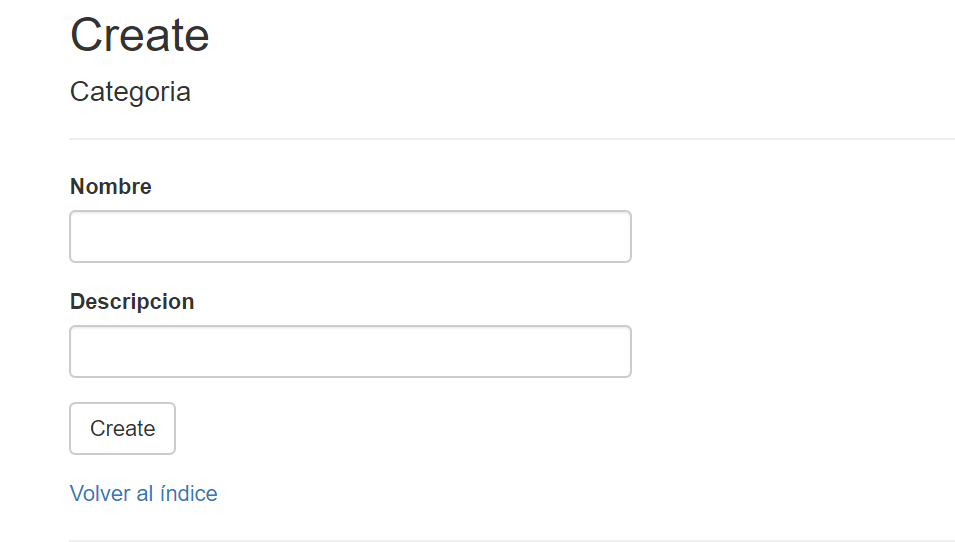
Vamos a crear una web para hacer el mantenimiento de una tabla usando fetch.
Podéis usar la API que queráis pero yo os pongo aquí como debería ser en el caso del comic:
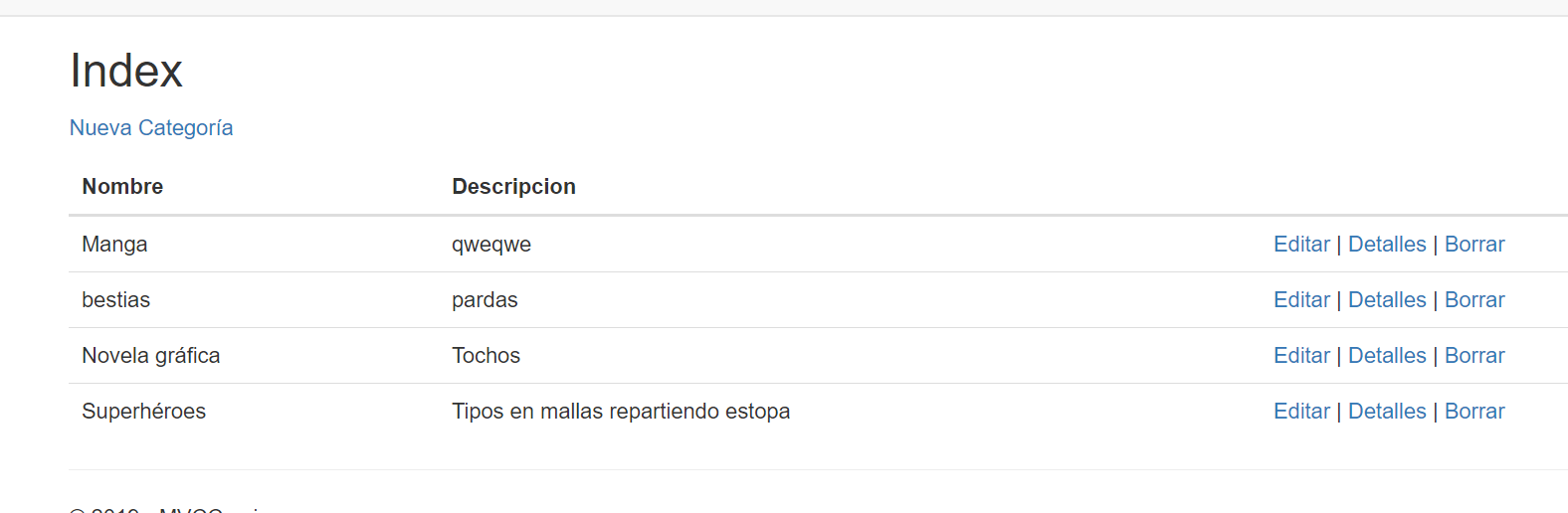
Todas las acciones se ejecutarán usando fetch.
Evitar error CORS
Ponemos lo siguiente en nuestra API:
 public void ConfigureServices(IServiceCollection services)
        {
            services.AddCors(o => o.AddPolicy("MyPolicy", builder =>
            {
                builder.AllowAnyOrigin()
                       .AllowAnyMethod()
                       .AllowAnyHeader();
            }));
            services.AddMvc().SetCompatibilityVersion(CompatibilityVersion.Version_2_1);
            services.AddDbContext<Contexto>(options =>
                   options.UseSqlServer(Configuration.GetConnectionString("MVCBasicContext")));
        }

        // This method gets called by the runtime. Use this method to configure the HTTP request pipeline.
        public void Configure(IApplicationBuilder app, IHostingEnvironment env)
        {
            if (env.IsDevelopment())
            {
                app.UseDeveloperExceptionPage();
            }
            else
            {
                app.UseHsts();
            }
            app.UseCors("MyPolicy");
            app.UseHttpsRedirection();
            app.UseMvc();
        }